Been a long time since I’ve written a blog post entry, so I figured I’d give myself an easy one to get back into it. Today, I’ll be going over how I use iPhone Mirroring in my development experience to ensure that a blog post or new page of this website doesn’t render funny in a web browser.
What’s iPhone Mirroring?
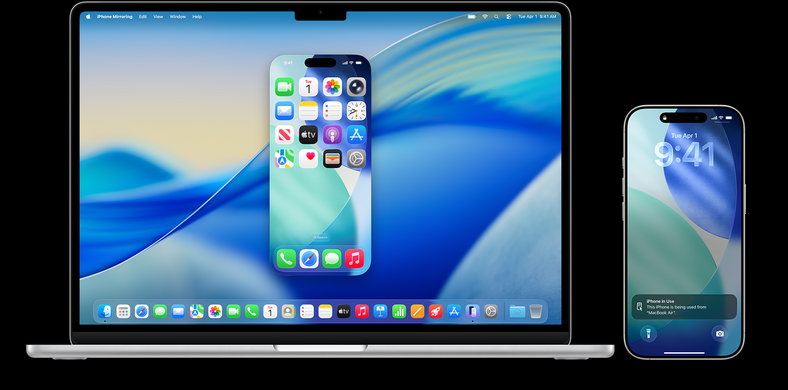
If you’re not pretty deep into the Apple ecosystem, you might not be aware of what iPhone Mirorring is. If you want to hear it straight from Apple, here is a support link. If you have a compatible iPhone and Mac, I’d suggest reading through that article to get an understanding of how to use it. If not, just imagine that you can control your iPhone from your Macbook. Or look at this screenshot that I totally didn’t just take of the page linked above a second ago ;)
Why iPhone Mirroring?
I think iPhone Mirroring can be extremely helpful while I’m changing things on this website. My workflow on a new blog post kind of looks like this:
- Grab existing GitHub blog post issue or create one if inspiration strikes.
- Create branch, check out locally.
- Run air. You can read more about that here.
- Start writing blog post and get to a point I want to see what it looks like.
- Browse to the portfolio page locally to check how it looks in a browser.
- Use iPhone Mirroring to check how it looks on a mobile device.=
Now I know that doesn’t sound like much, but to someone that’s lazy, it’s huge. I can mirror into the device, browse back to my laptop using my Tailnet hostname and get exactly what it looks like in whatever browser I choose. Being able to catch some goofy little bug this way has saved my butt a few times.